
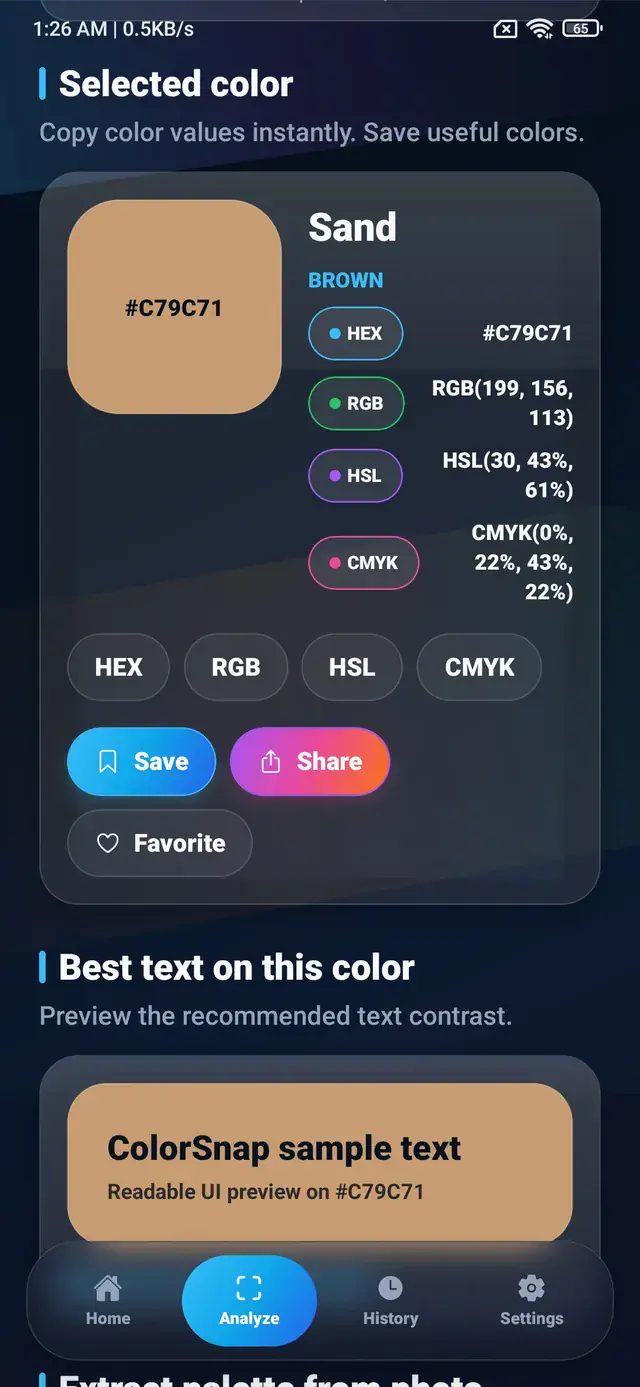
Quick answer: HEX and RGB describe colors for digital screens, HSL makes color adjustments easier to reason about, and CMYK is associated with print workflows. The best format depends on where the color will be used.
One color, several useful formats
A single visible color can be written in multiple ways. Consider ColorSnap’s cyan accent:
- HEX:
#38BDF8 - RGB:
rgb(56, 189, 248) - HSL:
hsl(199, 95%, 60%) - CMYK approximation:
77%, 24%, 0%, 3%
These values do not describe four unrelated colors. They are different representations of approximately the same appearance, designed for different tools and workflows.
Quick color format comparison
| Format | Practical use | Example |
|---|---|---|
| HEX | CSS, design tokens, and compact sharing | #38BDF8 |
| RGB | Screen channels, image pixels, and transparency | rgb(56, 189, 248) |
| HSL | Hue exploration and controlled lightness changes | hsl(199, 95%, 60%) |
| CMYK | Print-oriented planning and production references | 77%, 24%, 0%, 3% |
What is a HEX color code?
HEX is a hexadecimal representation of red, green, and blue channels. A six-character code such as #38BDF8 is divided into three pairs:
38represents red;BDrepresents green;F8represents blue.
Each pair ranges from 00 to FF. In decimal terms, that range is equivalent to 0 through 255.
When should you use HEX?
HEX is convenient for:
- CSS and web interfaces;
- design tokens;
- brand documentation;
- quick sharing in messages or notes;
- tools that expect a compact color value.
Its main advantage is size and familiarity. A HEX color picker gives developers and designers a code that is easy to copy and recognize.
What is RGB?
RGB stands for red, green, and blue. It models the light emitted by screens. Each channel commonly uses a value from 0 to 255.
rgb(56, 189, 248) means:
- red intensity: 56;
- green intensity: 189;
- blue intensity: 248.
When all three channels are 0, the result is black. When all three are 255, the result is white.
When should you use RGB?
RGB is useful when:
- working with image-processing APIs;
- reading or modifying pixel data;
- passing channel values to graphics software;
- using alpha transparency with
rgba(); - explaining how much red, green, and blue a color contains.
HEX and RGB are closely related. In most digital contexts, one can be converted to the other without changing the intended color.
What is HSL?
HSL stands for hue, saturation, and lightness.
- Hue is an angle from 0 to 360 on a color wheel.
- Saturation describes the intensity of the color.
- Lightness describes how light or dark it is.
HSL is often easier for humans to adjust. If a button needs a darker hover state, you can reduce lightness while keeping a similar hue and saturation.
.button {
  background: hsl(199, 95%, 60%);
}

.button:hover {
  background: hsl(199, 95%, 48%);
}
When should you use HSL?
Choose HSL when:
- creating related light and dark variations;
- building systematic interface states;
- exploring hue changes;
- teaching color relationships;
- making color controls understandable.
HSL is not automatically more accurate than RGB. Its value is that the controls align more closely with how people discuss color changes.
What is CMYK?
CMYK stands for cyan, magenta, yellow, and key, where key normally means black. It is associated with subtractive color mixing in print.
Unlike a screen, which emits light, printed material reflects ambient light. Ink, paper, printer profiles, and production methods all influence the final appearance.
When should you use CMYK?
CMYK values are useful as a reference for:
- print-oriented design discussions;
- early production planning;
- communication with print tools;
- understanding how a digital color may translate to ink.
A CMYK value calculated from a photo or RGB color is an approximation. Professional print production should use the printer’s required ICC profile and a controlled proofing process.
Which color format should developers use?
For most web and Android interface work, HEX, RGB, and HSL are the practical choices.
Use HEX for concise tokens:
:root {
  --color-primary: #38BDF8;
}
Use RGB when channel manipulation or alpha is important:
.focus-ring {
  box-shadow: 0 0 0 4px rgba(56, 189, 248, 0.28);
}
Use HSL when generating predictable variations:
:root {
  --primary-hue: 199;
  --color-primary: hsl(var(--primary-hue), 95%, 60%);
}
Which format should designers use?
The design tool and final medium should guide the choice:
- Use HEX for handoff and shared digital specifications.
- Use RGB for screen assets and channel-based editing.
- Use HSL for reasoning about families of related colors.
- Use CMYK with an appropriate profile for print preparation.
Keeping more than one value can be useful. A design system might document HEX for implementation and HSL for controlled color generation.
Why conversions sometimes look different
Mathematical conversion is only part of color management. Displays use different panels and profiles. Printers use different inks and papers. Photos may contain embedded color profiles, while screenshots may be interpreted in a standard RGB space.
That means the same numeric value can appear slightly different across devices. For color-critical work, use calibrated screens, defined color profiles, and physical proofs.
A simple decision guide
- Building a website or app? Start with HEX or RGB.
- Creating lighter and darker variants? Consider HSL.
- Inspecting image pixels? RGB is direct and practical.
- Preparing professional print output? Follow the required CMYK profile.
- Sharing a quick digital reference? HEX is usually the clearest.
The ColorSnap app shows these formats together so you can identify a color once and choose the representation that fits the next step.
Explore ColorSnap color tools
Start from the ColorSnap homepage or review the complete app features. For focused workflows, learn about the Android color identifier, use the photo color picker, or explore the image palette generator. The ColorSnap FAQ answers common questions about formats, images, saved colors, and app usage.