
Quick answer: Use HEX when you want a compact color code, RGB when you need direct red, green, and blue channel values, and HSL when you want to adjust hue, saturation, or lightness in an understandable way. All three can describe the same screen color.
One color in three formats
HEX, RGB, and HSL often look like competing systems, but they are mostly different interfaces to the same underlying screen color.
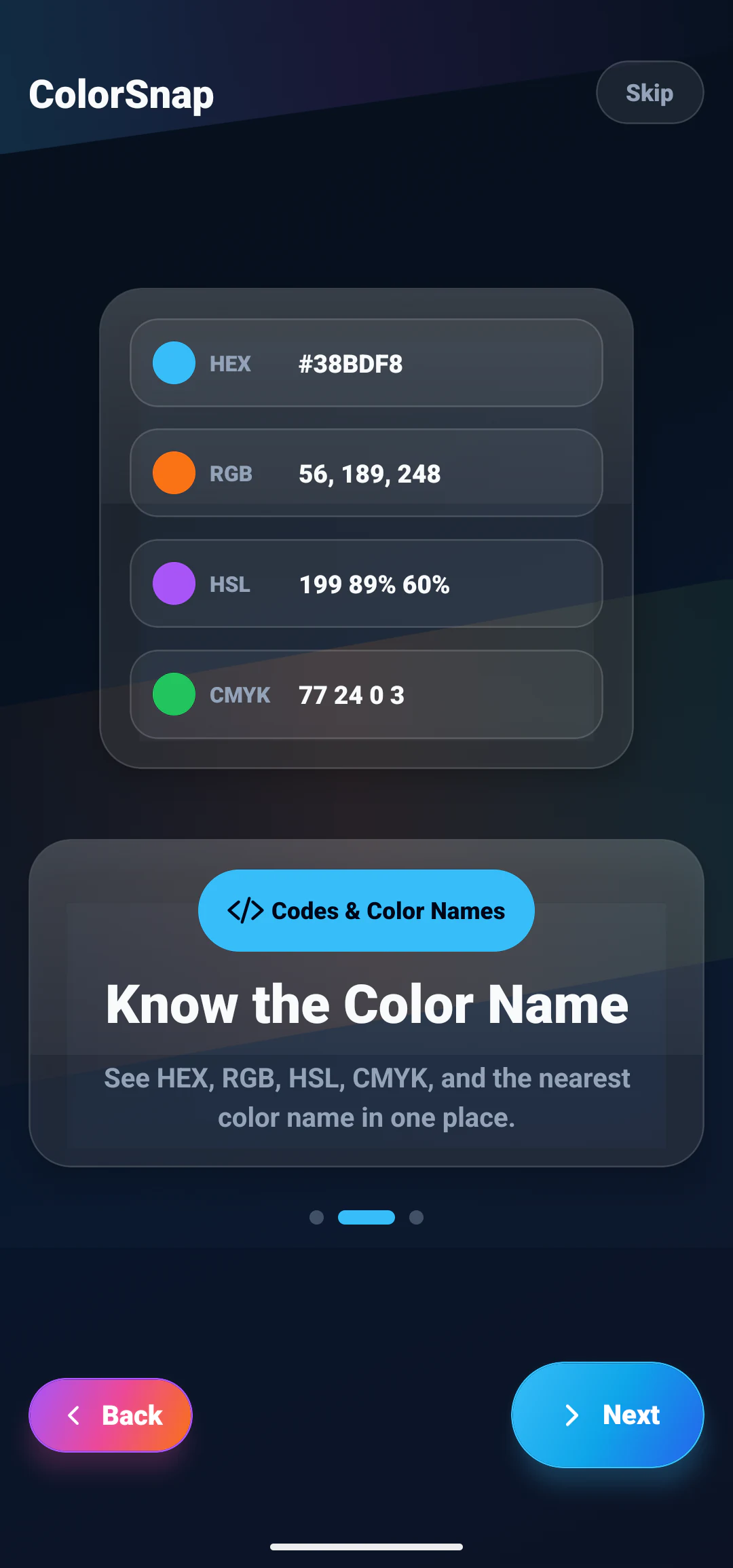
Consider this bright cyan:
| Format | Example |
|---|---|
| HEX | #38BDF8 |
| RGB | RGB(56, 189, 248) |
| HSL | HSL(199, 95%, 60%) |
If a browser interprets these values in the same color space, the visible result should be approximately the same. The practical difference is how each notation communicates and controls the color.
What HEX is best at
HEX expresses red, green, and blue as three hexadecimal pairs. The structure is #RRGGBB, so #38BDF8 contains red 38, green BD, and blue F8.
Its strengths are compactness and familiarity. HEX works well for:
- sharing a color in a design handoff;
- storing brand colors;
- defining CSS variables;
- naming design tokens;
- pasting values into common design tools.
:root {
  --color-accent: #38BDF8;
}
The main limitation is readability. Without converting the pairs, it is difficult to estimate how much red, green, or blue a code contains. It is also difficult to make a predictable lightness change by editing the code directly.
For a deeper explanation of its number system, see what a HEX color code is.
What RGB is best at
RGB writes each light channel as a decimal number, commonly from 0 to 255:
.sample {
  color: rgb(56, 189, 248);
}
The format is direct. You can immediately see that the example contains a small red value and high green and blue values.
RGB is useful for:
- image processing and pixel analysis;
- graphics APIs;
- screen color calculations;
- channel-by-channel adjustments;
- transparency through
rgba()or modern alpha syntax.
For example, a translucent focus ring can reuse the same RGB channels:
.input:focus {
  box-shadow: 0 0 0 4px rgb(56 189 248 / 28%);
}
RGB is less intuitive when you want to make a color “slightly darker” or “less saturated.” Changing one channel may shift both the brightness and the perceived hue.
What HSL is best at
HSL separates color into hue, saturation, and lightness:
- Hue is an angle around a color wheel, from 0 to 360 degrees.
- Saturation is the intensity of the color, from gray to vivid.
- Lightness runs from black through the chosen color to white.
.sample {
  color: hsl(199 95% 60%);
}
HSL is useful when people need to reason about related colors. To make the cyan darker, reduce its lightness:
.button {
  background: hsl(199 95% 60%);
}

.button:hover {
  background: hsl(199 95% 48%);
}
This is easier to understand than manually adjusting three RGB channels. However, equal HSL lightness values do not always look equally bright to the human eye. Yellow at 50% lightness may appear much brighter than blue at 50%.
HEX vs RGB: what changes?
HEX and RGB are two notations for the same red, green, and blue model. Converting between them does not require a visual change.
#38BDF8 becomes:
38hexadecimal = 56 decimal;BDhexadecimal = 189 decimal;F8hexadecimal = 248 decimal.
That gives RGB(56, 189, 248).
Choose between them based on the surrounding code or document. HEX is shorter for static tokens. RGB is clearer when channel values or transparency are important.
RGB vs HSL: what changes?
RGB describes how screen light is mixed. HSL reorganizes an RGB color into controls that are easier to discuss.
Suppose a brand blue is RGB(37, 99, 235), approximately HSL(221, 83%, 53%). In RGB, creating a softer version requires adjusting multiple channels. In HSL, you can reduce saturation or increase lightness while keeping the hue near 221.
That makes HSL convenient for exploration, but a polished palette still requires visual review. Mathematically related values are not automatically harmonious or accessible.
Which format should web developers use?
Use the notation that keeps the codebase clear.
HEX is effective for fixed design tokens:
:root {
  --surface: #07111F;
  --accent: #38BDF8;
}
RGB is effective when alpha changes frequently:
.panel {
  border-color: rgb(56 189 248 / 22%);
}
HSL is effective for controlled theme variations:
:root {
  --accent-hue: 199;
  --accent: hsl(var(--accent-hue) 95% 60%);
}
Consistency matters more than declaring one format universally superior. Document the chosen approach and avoid converting values without a practical reason.
Which format should designers use?
Designers often use HEX for handoff because it is compact and recognized by many tools. RGB is helpful when working directly with image channels or screen assets. HSL is helpful during palette exploration and when defining lighter or darker states.
A design system can record more than one representation:
Accent 500
HEX: #38BDF8
RGB: 56, 189, 248
HSL: 199, 95%, 60%
Keeping one value as the source of truth prevents small conversion differences from accumulating across files.
What about modern color formats?
CSS also supports formats such as hwb(), lab(), lch(), oklab(), and oklch(). Some provide more perceptually consistent adjustments than HSL and can represent wider color ranges.
HEX, RGB, and HSL remain widely understood and supported, so they are practical for everyday work. Teams exploring advanced color systems can evaluate newer spaces while maintaining fallbacks that fit their browser requirements.
How ColorSnap presents color formats
When you inspect an image with ColorSnap’s color picker app, the selected pixel can be shown in several formats together. That avoids repeating the sampling step for each notation.
Copy HEX for a design token, read RGB for channel values, or use HSL as a starting point for related shades. The ColorSnap features page also covers contrast checking, saved colors, and CSS variable export.
Do different formats improve accuracy?
Changing notation does not recover color detail that is missing from a photo. A compressed or poorly lit image will produce the same underlying sample whether you display it as HEX, RGB, or HSL.
Accuracy depends more on the source image, selected pixel, color profile, and screen. Format choice mainly affects communication and editing.
Work that ends up on paper needs a fourth format. HEX, RGB, HSL and CMYK explained adds CMYK to this comparison and covers why a screen color and a printed color rarely match exactly.
Explore ColorSnap color tools
Start from the ColorSnap homepage or review the complete app features. For focused workflows, learn about the Android color identifier, use the photo color picker, or explore the image palette generator. The ColorSnap FAQ answers common questions about formats, images, saved colors, and app usage.
Frequently Asked Questions
Is HEX more accurate than RGB?
No. Standard six-digit HEX and integer RGB values can represent the same set of screen colors. They simply write the channels differently.
Is HSL better for creating a palette?
HSL makes systematic adjustments easier, especially for hue and lightness. Visual testing is still necessary because equal numeric steps may not look equal.
Can Android apps use these formats?
Yes. Android projects and design specifications can use equivalent color values, although the exact syntax depends on the framework and API.
Which format is easiest to share?
HEX is usually the shortest and most recognizable. Include RGB or HSL when the recipient needs channel values or systematic adjustments.
Should a project mix formats?
It can when each format serves a clear purpose. Keep design tokens consistent and document conversions so named colors do not drift between components.